
Documentation Index
Fetch the complete documentation index at: https://help.grafite.app/llms.txt
Use this file to discover all available pages before exploring further.
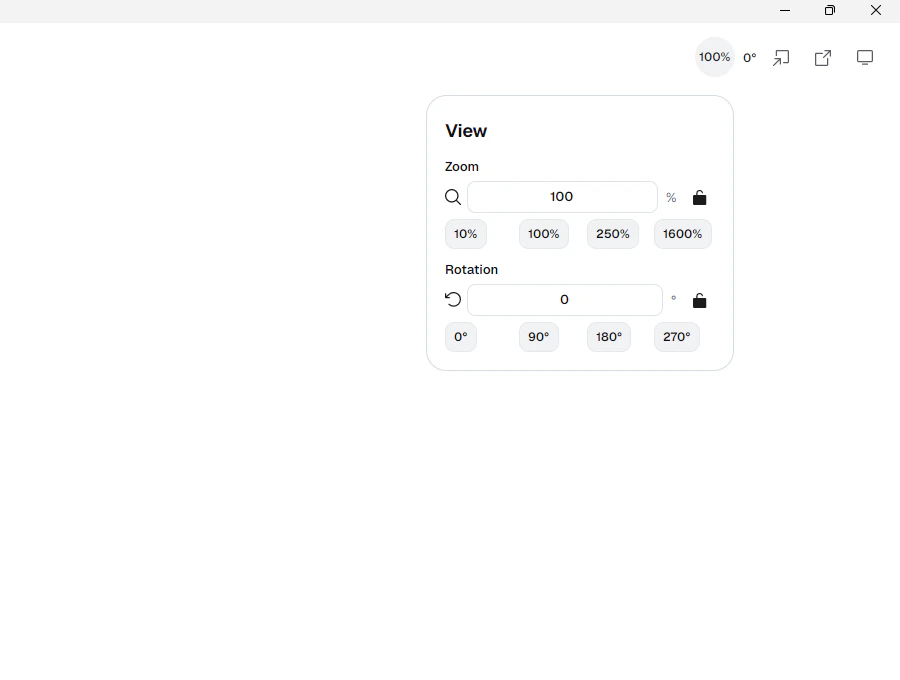
The View button shows zoom and rotation controls.
Zoom: type a zoom percent or use the preset buttons10%,100%,250%, and1600%.Rotation: type a rotation angle or use the preset buttons0°,90°,180°, and270°.- The lock button next to zoom stops zoom changes.
- The lock button next to rotation stops rotation changes.
You can also move the view without opening this menu.
- Mouse wheel: zoom in and out.
Shift+ mouse wheel: rotate the canvas.- Hold
Spaceand drag with the mouse: pan the canvas. - One finger touch drag: pan the canvas.
- Two finger touch gesture: pan, zoom, and rotate together.