
Documentation Index
Fetch the complete documentation index at: https://help.grafite.app/llms.txt
Use this file to discover all available pages before exploring further.
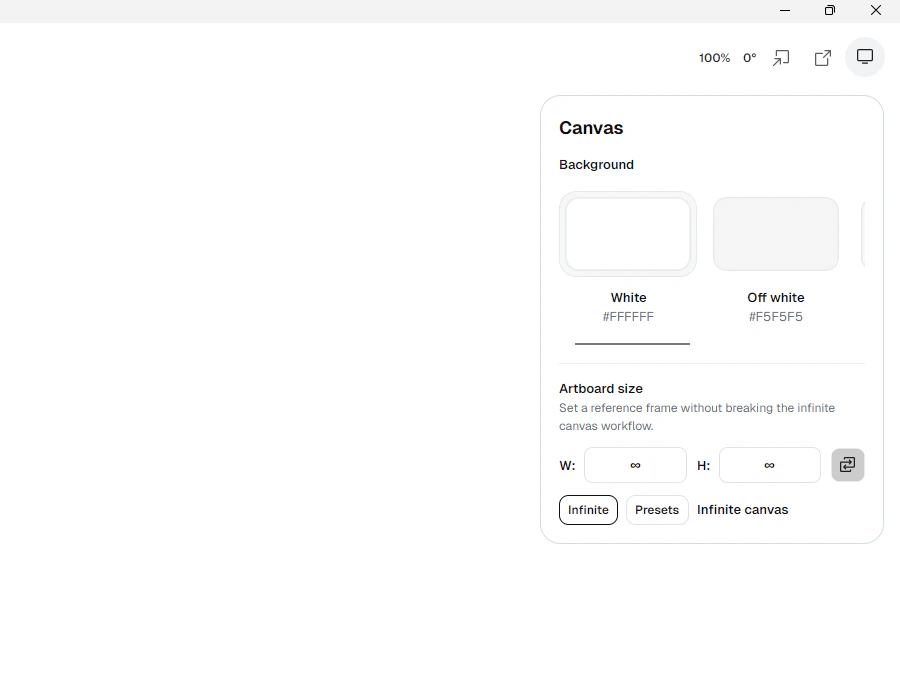
The Canvas button changes the paper and the artboard.
Background choices:
WhiteOff whitePaper: SoftPaper: HardPaper: Textured
Artboard controls:
WandH: set width and height.Swap: flips width and height.Infinite: turns on infinite canvas mode.Presets: opens ready-made canvas sizes.
Preset groups:
Screen: 1024x768, 1280x800, 1600x1000, 1920x1080, 2048x1536A Series: A2, A3, A4, A5US Paper: 8.5 x 11 in, 11 x 17 inSocial: Instagram Story, Instagram Post 1:1, Instagram Post 3:4, X Post Portrait, X Post Landscape