
Documentation Index
Fetch the complete documentation index at: https://help.grafite.app/llms.txt
Use this file to discover all available pages before exploring further.
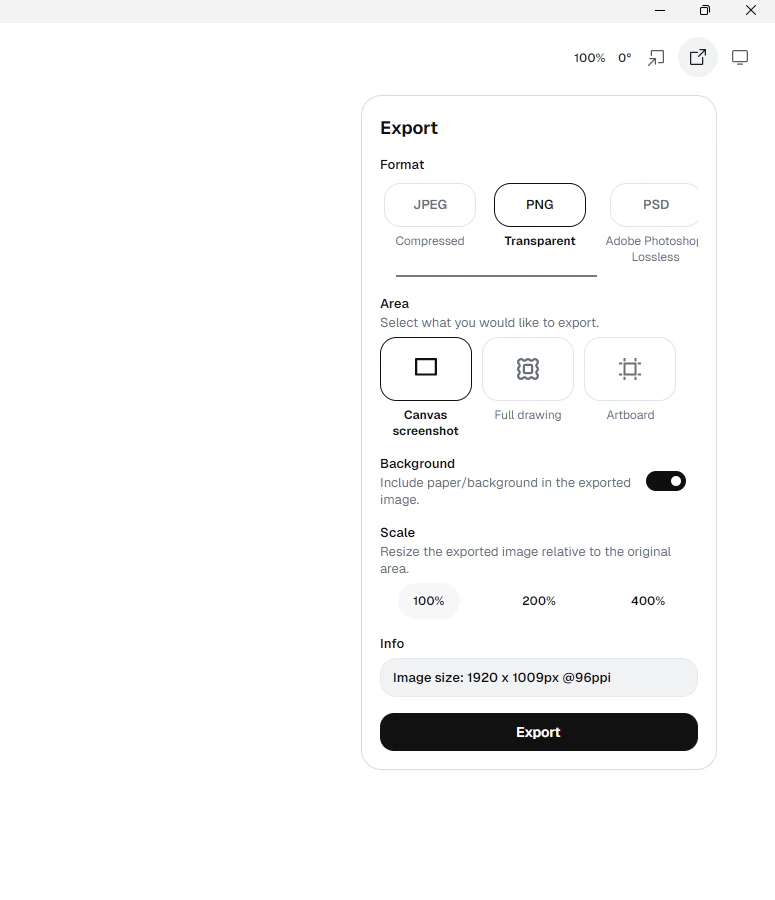
The Export button lets you save your work in different ways.
Formats:JPEG: a smaller flat image. It always includes a background.PNG: a flat image. It can keep the background on or off.PSD: a Photoshop file with layers.Grafite: a native.gftfile with editable layers, strokes, and raster content.
Area choices:
Canvas screenshot: saves what you are looking at right now.Full drawing: saves all visible drawing content.Artboard: saves just the artboard area.
Scale choices:
100%200%400%
Background toggle:
- For
PNGandPSD, you can choose whether the paper/background is included. - For
JPEG, background is always on. - For
Grafite, the background toggle does not matter because the file keeps the full document.
Important:
- Grafite does not have a separate
Savebutton in this build. Files are saved automatically. - If you want an editable file, use
Exportand chooseGrafite.