> ## Documentation Index
> Fetch the complete documentation index at: https://help.grafite.app/llms.txt
> Use this file to discover all available pages before exploring further.
# Organize References
> Change how references are sorted in the full reference library.
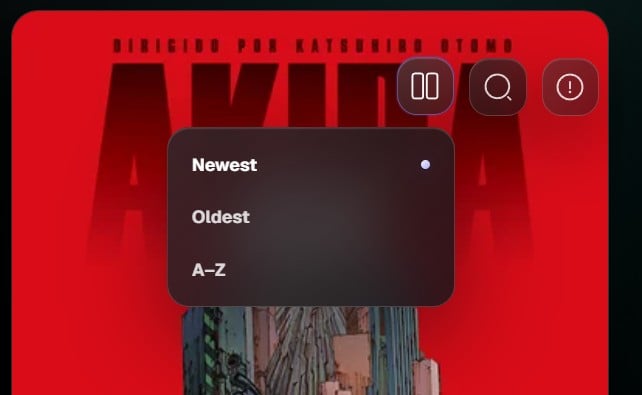
The **Organize references** button changes how images are sorted on the References screen.
 ## Sorting options
1. **Newest** shows recently added references first.
2. **Oldest** shows earlier references first.
3. **A-Z** sorts references alphabetically by title.
## How to use it
1. Open the **References** screen.
2. Click **Organize references** in the top right.
3. Choose a sorting option.
4. Grafite updates the Reference Wall immediately.
Your selected sorting mode is saved, so the References screen can keep the same order the next time you open Grafite.
## Tip
Use **Newest** when reviewing recent imports. Use **A-Z** when your references have clear names or when you are managing a larger library.
## Sorting options
1. **Newest** shows recently added references first.
2. **Oldest** shows earlier references first.
3. **A-Z** sorts references alphabetically by title.
## How to use it
1. Open the **References** screen.
2. Click **Organize references** in the top right.
3. Choose a sorting option.
4. Grafite updates the Reference Wall immediately.
Your selected sorting mode is saved, so the References screen can keep the same order the next time you open Grafite.
## Tip
Use **Newest** when reviewing recent imports. Use **A-Z** when your references have clear names or when you are managing a larger library.