> ## Documentation Index
> Fetch the complete documentation index at: https://help.grafite.app/llms.txt
> Use this file to discover all available pages before exploring further.
# Focus View
> Inspect one reference image, edit its details, and discover related images.
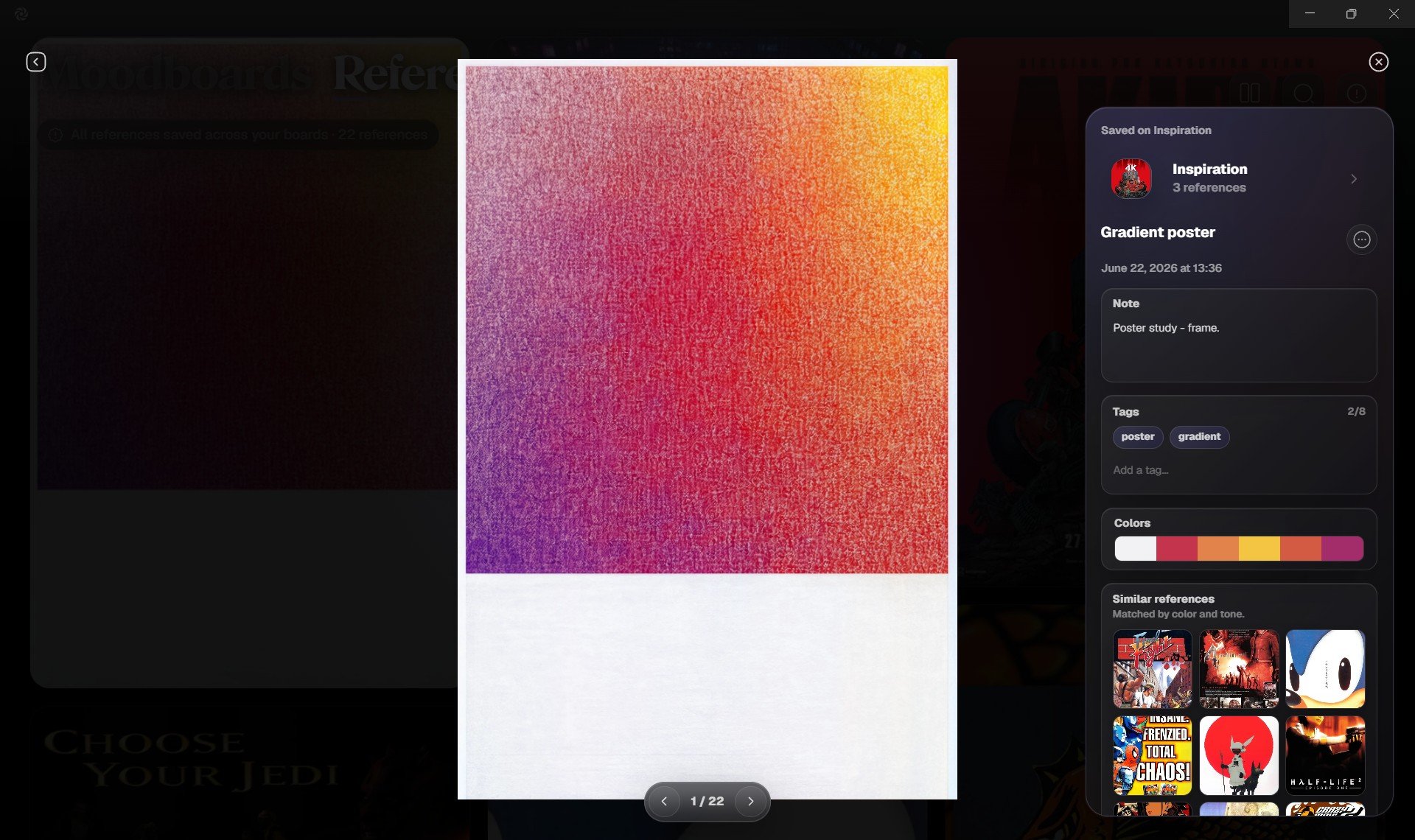
**Focus View** opens one reference image in a clean, distraction-free viewer.
Use it when you want to inspect details, move through images, review where a reference is used, or update its information.
 ## Open Focus View
Click any reference image from the References screen or from a board.
Grafite opens the selected image larger, with controls for navigation, metadata, board context, and related references.
## Navigate between references
Use the navigation controls to move to the previous or next image.
This lets you review a set of references without returning to the grid after every image.
## Add notes and tags
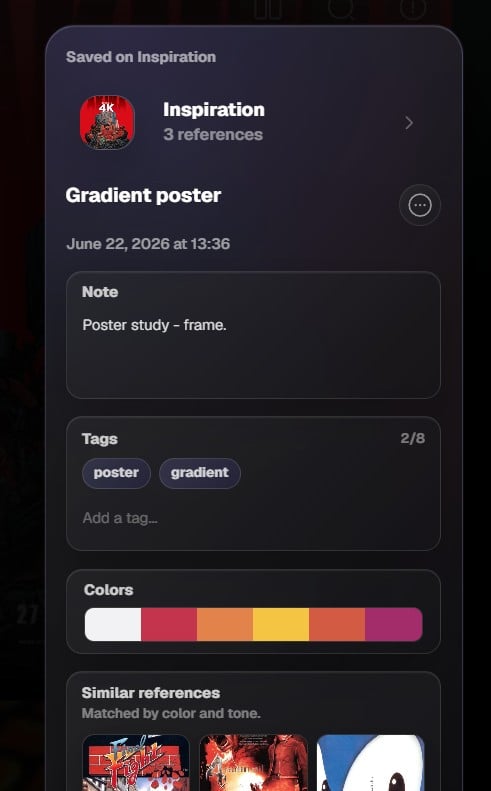
Use notes and tags to make references easier to remember and search later.
Notes are useful for observations, direction, or reminders. Tags are useful for searchable labels like `lighting`, `pose`, `texture`, `vehicle`, or `interface`.
## Reference details
Focus View can show useful information about the selected reference, including its name, notes, tags, colors, and the boards where it appears.
## Open Focus View
Click any reference image from the References screen or from a board.
Grafite opens the selected image larger, with controls for navigation, metadata, board context, and related references.
## Navigate between references
Use the navigation controls to move to the previous or next image.
This lets you review a set of references without returning to the grid after every image.
## Add notes and tags
Use notes and tags to make references easier to remember and search later.
Notes are useful for observations, direction, or reminders. Tags are useful for searchable labels like `lighting`, `pose`, `texture`, `vehicle`, or `interface`.
## Reference details
Focus View can show useful information about the selected reference, including its name, notes, tags, colors, and the boards where it appears.
 ## Rename a reference
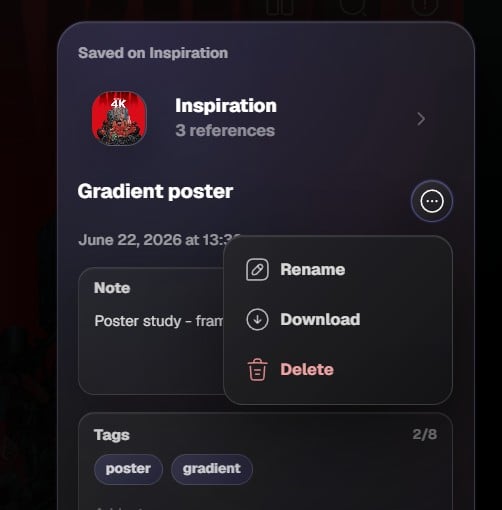
Use the reference menu to rename an image.
Renaming changes the display name in Grafite. It does not rename your original source file outside the app.
## Rename a reference
Use the reference menu to rename an image.
Renaming changes the display name in Grafite. It does not rename your original source file outside the app.
 ## Download a reference
Use **Download** to save a copy of the selected reference outside Grafite.
This is useful when you want to use an image in another app, share it, or move it into a project folder.
## Delete a reference
Use **Delete** when a reference no longer belongs in the current context.
If the image exists in other boards, it can remain available there. If it only exists in one place, removing it may remove it from your Grafite library.
## Board context
Focus View can show which boards contain the selected reference.
This helps you understand where an image is being used and lets you jump back into a related board.
## Extracted colors
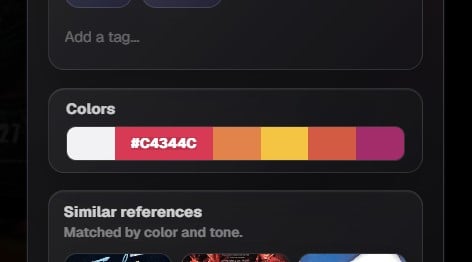
Grafite can show key colors from a reference image.
Use this when studying palettes, matching images, or finding the dominant visual mood of a reference.
## Download a reference
Use **Download** to save a copy of the selected reference outside Grafite.
This is useful when you want to use an image in another app, share it, or move it into a project folder.
## Delete a reference
Use **Delete** when a reference no longer belongs in the current context.
If the image exists in other boards, it can remain available there. If it only exists in one place, removing it may remove it from your Grafite library.
## Board context
Focus View can show which boards contain the selected reference.
This helps you understand where an image is being used and lets you jump back into a related board.
## Extracted colors
Grafite can show key colors from a reference image.
Use this when studying palettes, matching images, or finding the dominant visual mood of a reference.
 ## Copy a color
In the extracted color palette, click any color swatch to copy its color value.
This is useful when you want to reuse a reference color in another design, illustration, moodboard, or creative tool.
## Similar references
Grafite can suggest visually similar images from your library.
This helps you rediscover related references, find stronger alternatives, or build a more coherent visual direction from images you already saved.
## Copy a color
In the extracted color palette, click any color swatch to copy its color value.
This is useful when you want to reuse a reference color in another design, illustration, moodboard, or creative tool.
## Similar references
Grafite can suggest visually similar images from your library.
This helps you rediscover related references, find stronger alternatives, or build a more coherent visual direction from images you already saved.