> ## Documentation Index
> Fetch the complete documentation index at: https://help.grafite.app/llms.txt
> Use this file to discover all available pages before exploring further.
# Add Board
> Create new boards or import images into Grafite.
The **Add board** button lets you create new moodboards and import images into Grafite.
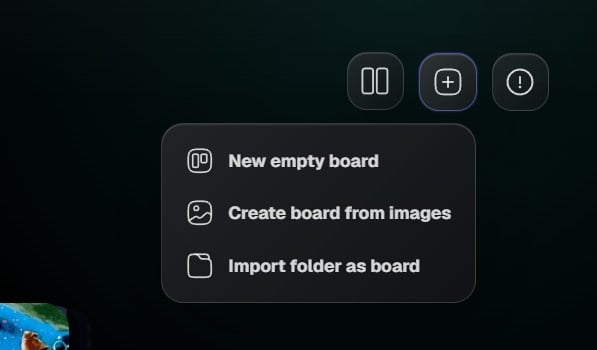 ## Add board options
1. **New empty board** creates a blank board.
2. **Create board from images** lets you choose image files and turns them into a new board.
3. **Import folder as board** creates a board from a selected image folder.
## New empty board
Use **New empty board** when you want to start from scratch.
Grafite creates an untitled board and opens it so you can begin adding references.
## Create board from images
Use **Create board from images** when you already have a group of image files you want to collect together.
Grafite imports the selected images and creates a board for them.
## Import folder as board
Use **Import folder as board** when your references are already organized in folders.
Grafite creates a board from the selected folder and adds supported images from that folder.
## Add board options
1. **New empty board** creates a blank board.
2. **Create board from images** lets you choose image files and turns them into a new board.
3. **Import folder as board** creates a board from a selected image folder.
## New empty board
Use **New empty board** when you want to start from scratch.
Grafite creates an untitled board and opens it so you can begin adding references.
## Create board from images
Use **Create board from images** when you already have a group of image files you want to collect together.
Grafite imports the selected images and creates a board for them.
## Import folder as board
Use **Import folder as board** when your references are already organized in folders.
Grafite creates a board from the selected folder and adds supported images from that folder.